You think that you’re a proud android user and keep yourself aware of all the latest updates. The time has arrived to upgrade your smartphone as Android Lollipop 5.0 has already been launched. The newer version of android is making a mark in the recent smartphone launches.
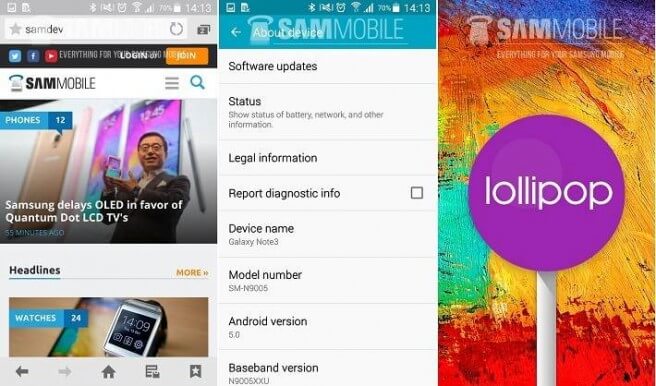
If you’re a proud Samsung Note 3 smartphone user, you must know the fact that Note 3 comes with a suitable option to update to the next android firmware. In order to be acquainted with some of the latest features, you must update your Note 3 with the latest firmware. You must either be running Android 4.3 (Jelly Bean) or must have upgraded to Android Kit Kat 4.4. However, it is the time to update your firmware with a newer release of Android firmware known as “Android Lollipop 5.0.” It is true that most of the newer smartphone releases—including Nexus 6—have already been upgraded to the latest firmware before their release.
As far as the latest update is concerned, Samsung Technologies has confirmed the approval of Android Lollipop 5.0 for Note 3. This means that the users with Note 3 (preferably SM-N900 and SM-N9005 LTE versions) would be able to update their firmware to the latest release. However, if you are confused, here is how to proceed with updating your Note 3 to the latest firmware “Android Lollipop 5.0:”
Step I: Backup Your Data:
The first and the most important step—that is also a precautionary measure as well—is to backup your data including your contacts, photos, and files. Although, updating your Android firmware has never been a reason for your data loss, it is highly recommended to backup your data.
Step II: Proceed With Updating Your Firmware:
Once you are contented that all your data is now safe, follow the following steps in your Note 3 device:
- Go to your “Settings” icon from your home screen.
- You will see 4 main tabs. Go to the “General” tab to perform the next step.
- Touch the “About Device” option that you can see as the very last option in the “General” tab.
- Touch on “Software Update” tab that you can see as the very first option in the “About Device” option.
- Click on “Update” option and wait for the device to connect the server via your wireless connection.
Step III: Wait for the Device To Download Firmware:
As soon as you connect your device to the server, it starts downloading the firmware. Wait for the downloading process to complete. Normally, a small window pops ups showing the installation progress. Do not reboot your device in the middle of the installation process; otherwise, you have to start from scratch.
Step IV: Installing the Firmware:
After completing the installation process, your device will reboot once. Upon rebooting, it will ask your permission to proceed further with updating the applications, contacts, and files. It may ask you to update KNOX (a manufacturer’s application to secure your device). Once done, that’s all. You can now enjoy the latest features of your new Android Lollipop update.
Don’t do it! It has ruined Note3! First time I’ve considered going back to an iphone!
Absolutely agree….. I was so excited to get my first Smartphone and 4 2 weeks it was a beautiful love story…. Then came the prompts come on upgrade to the latest and greatest to make your amazing phone even more amazing… And now I have a beautiful nearly new phone that no longer makes calls or texts and in fact can no longer connect to the mobile network AT ALL! A $700 PAPERWEIGHT! hate hate hate android for doing this to us and as soon as I am able will be getting a IPHONE!