Google has been heading a step forward when it comes to innovation and imagination. With its recent release of Google’s Nexus 6, Google has made it promising to introduce one of the most polarizing smartphones in the history. All the predecessor versions of Google’s Nexus seem to be attractive with an affordable price. However, the recent release of Motorola made Nexus 6 has come up with some different features as well as different price tag.
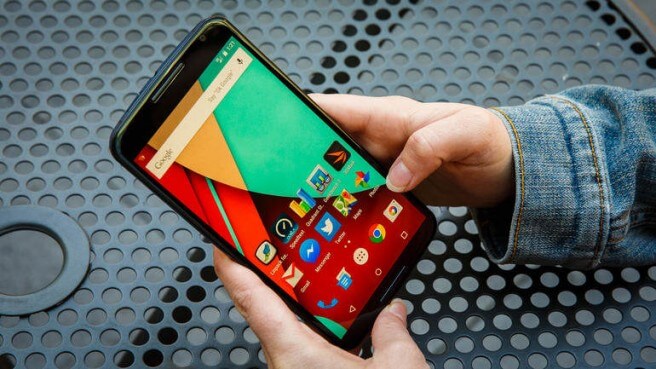
Photo Credits: CNN
With innovation, easy-to-use facility and having one of the most advanced android features, Motorola made Google’s Nexus 6 has truly grabbed the attention of most of the android and some iPhone users, as well. Some of the most promising features of this release by Google include sleek design, high definition screen resolution, sharp color pixels, and well-timed updates. Penned down below are some of the latest and most exciting tips and tricks of Google’s Nexus 6:
- Universal Unlocked—Run It On Any Network:
Isn’t it cool? Google’s Nexus 6 comes factory unlocked and can be used on almost most of the carriers available, mostly in the US. Well, it had been the feature of Google Nexus 6’s predecessors; however, you would be able to use it on most of the supported carriers, mostly in the United States. By default, Google’s Nexus 6 supports two SKU’s: one for the Northern America and second being the rest of the countries. Therefore, you can get benefit of GSM bands including 850, 900, 1800, and 1900, respectively.
- Data Consumption—Innovative Bar Line Indication:
Data consumption notifications and indication are two main features to be included in any smartphone. This is imperative, if you are using a smartphone and mostly works on your 4G/LTE or even 3G data. What if you use your 3G or 4G/LTE data and gets a bar line indication in the form of graph and notifications on data limits set by you. Google’s Nexus 6 gives you a new way to track down your volume consumed while using your 3G or 4G/LTE data connection. Here is how you need to proceed:
- Go to the Notification Shade
- Drop down once more
- Go to “Quick Settings”
- Go to the “Mobile Networks Setting”
- The result of above will show you the data consumption that you have already used and that you are left with. For your easiness, you can set data limits. For instance, you want to stop using your data once your limit reaches 350 MB. Set it and you will be notified once it reaches that volume.
- Turning Off Ambient Display—Keep A Note:
Having 3220mAh does not mean that you will get enough battery for three or four days. Just assume that such powerful battery is also giving power to a 5.96-inch screen. Therefore, you need to turn off ambient display using ambient display mode. This gives you a dimmed screen to use afterwards.
- Turbocharger—Life for Nexus 6:
With whopping 15W supply, the turbo charger gives life of 6 hours to your Nexus 6 within a period of 20 minutes. Keep a note!
Leave a Reply