Is the personal information on your smartphone safe?
Before 2007, your mobile phone was just that: a device for making phone calls on the move. Yet today, just 13 years later, our phones have become so much more.
We carry more personal information around in our pockets than we store at home; from bank details to browsing history, photographs to the contact details of all our friends and relations. This not only makes our phones a tempting target for thieves and hackers but leaves us open to embarrassment if they fall into the wrong hands.
There could be a lot of information on your phone that you might not want other people to see, like your latest activity on dating apps like Tinder, your latest move on gaming apps like, or the private photos you’ve shared with friends on social media like WhatsApp. This is all private and personal information that is nobody’s business but your own.
So how do you make sure your private information is never seen by the wrong people, whether you are passing your phone around to show a picture, or if you lose your device on the train?
Basic security
The first step to protect your phone is to ensure that basic security is in place. This may seem obvious, but the Pew Research Centre found that as many as 28% of smartphone users do not use a home screen lock, and 14% never update their operating system. Both of these are essential to protect your phone from prying eyes and hackers, and both are easy to do, with new operating system updates often designed specifically to patch holes in your phone’s security.
You don’t need a complex password app, because setting a lock code is easy, and the latest iPhones provide an automatic 6-digit passcode option that would take a couple of days to crack. You can make this even stronger by choosing an alpha-numeric code, which will take far longer to break. You’ll find this option in Settings on an iPhone, under Change Passcode.
You can also set your phone to erase all data if the passcode is entered wrongly ten times. However, you need to make sure your data is backed up or you risk losing everything if you forget your code. Setting automatic iCloud backup, or regularly backing up using iTunes will help, but as many celebrities have found, these backups aren’t always as secure as they could be.
Hiding personal info
Of course, your phone doesn’t have to be stolen or hacked for your personal stuff to fall into the wrong hands. You only have to pass your phone around in the pub or leave it unattended for a few minutes for your private conversations and personal photos to be at risk of exposure. Fortunately, there are several ways you can avoid this from happening.
Firstly, most smartphones will allow you to make your files and photographs private, and only accessible by using your passcode or face ID. This is a sensible thing to do with any personal details on your phone that you would not want to be common knowledge.
You can also use an apps-lock feature to deny access to certain areas of your phone. Android users can download a number of different apps that will do this, while iOS users can achieve the same thing using the Screentime feature in iOS12 and above. This means that no one can access your mail, texts, or photos without your permission, even if you have lent them your unlocked phone.
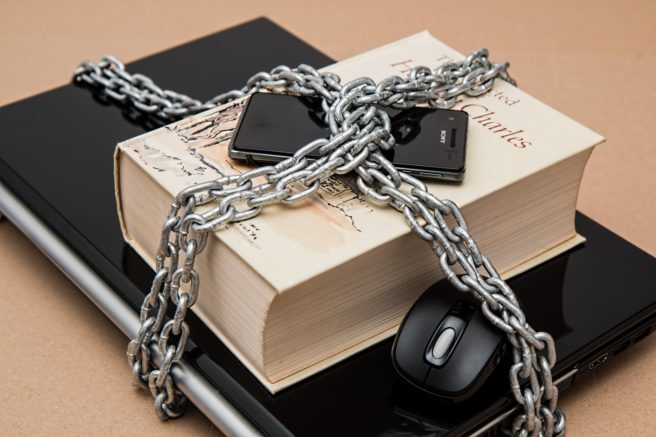
Too much security can be just as bad for your phone
Finding a balance
Unfortunately, many of the ways to protect your phone will compromise its performance in some way. For example, turning off autofill will prevent hackers from logging in to your accounts, but will also mean you have to enter your username and password every time you want to use them. Similarly, turning off cookies or preventing apps from having access to your data will make your phone more secure, but it will also make it more laborious to use and limit what it is able to do for you.
You could turn off everything from Siri to screen notifications, and back-ups to WiFi hotspots to make your phone safer and more secure, but that will inevitably come with a cost in terms of convenience. At the other end of the scale, full freedom and functionality could end up being equally costly, if not more so.
At the end of the day, it is up to you to find your own balance, but with a little common sense and some basic steps, you can make your smartphone a great deal safer without losing too much of its amazing performance.

It is very essential today to stay updated about the mobile technology.
These blogs are worth visiting and gathering essential data about your gadgets.
A very helpful blog. Thank you.
It is very essential today to stay updated about the mobile technology.
These blogs are worth visiting and gathering essential data about your gadgets.
A very helpful blog. Thank you.