Does your galaxy S5 encounter charging issues often? It is really unnerving spending a great deal of your money on such robust and expensive smart phones only to encounter the issues they exhibit or the problems they come with. Do you own a S5 and does charging it trouble you often? Does it often overheat while you charge it? Does it happen often that the phone just won’t charge or that it charges at a snail’s space? If your answer to any of the above questions is a “Yes!”, then you need not worry anymore as we bring to you a detailed guide on how to proceed in an informative manner while you encounter such issues.
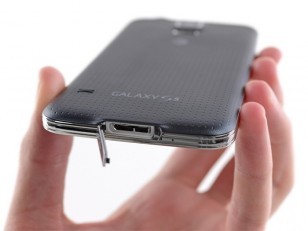
Galaxy S5 charging issues
If your Galaxy S5 literally charges at a snail’s pace, then you can make sure that you follow these steps as we guide you to the solution:
- Over half of the time, the people won’t use the charger or the USB cable that come with the galaxy S5 and unknowingly, they face such issues. The catch here is that every charger has different voltage ratings associated with it thus creating the problem. Many a times, chargers from different brands create no tussle and charge your phone which might be from a totally other brand because that very charger is of a rating which covers your phone’s rating requirements but many other times, it doesn’t. So make sure you are using the original Samsung charger.
- Conversely, if you are using the charger or the cable from Samsung and you are encountering issues, try using a charger or a cable from another brand after ensuring that they meet your phone’s charge-rating requirements.
On the other hand, if your galaxy S5 literally doesn’t charge, have a look at these guidelines:
- If you are encountering such issues, you can connect your phone to your laptop or your PC. This would charge your phone but you need to be patient because charing via. a USB takes quite some time.
- You can always make sure that the charging port is clean by blowing some air into it or wrapping a cloth around your finger nails or a pencil and then cleaning it. This helps too.
- Using an original Samsung charger ensures that you charge your phone although it takes a while. A charging icon appears on your screen when the phone begins to charge.
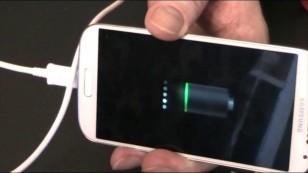
Galaxy S5 charging screen icon
- Have a look at your S5 charging port using a magnifying glass and a pointed stick say a pencil. It might so happen that the port is bent which then you can straighten by using the pointed pencil.
- Another possible underpinning behind slow charging might be a third party app causing slow charging. Turn your phone into safe mode by booting it and check for the same. All third party apps get disabled in the safe mode.
If you still cannot figure out the complexities associated with this issue and you just cannot charge your phone, there’s a high chance that :
- The phone might have a dead battery.
- The port which you use while charging your phone might have short-circuited or might have broken.
- You might consider replacing your battery and accordingly, ensure a smooth functioning of your Galaxy S5!
- If the port is corrupted, you can consider replacing your port. Electrical issues trouble a lot to, keep that in mind!
We hope this blog helped you in resolving the charging issues with your galaxy S5!
Don’t give up on your phone just yet! :)
Stay tuned to TechWhich for further updates! :)
Leave a Reply