Developing an app is no easy feat. There are plenty of things you need to keep in mind during the development process; one of which is the process of testing. It’s important to conduct proper mobile app testing before you launch your product because it can mean the difference between a good and a bad app.
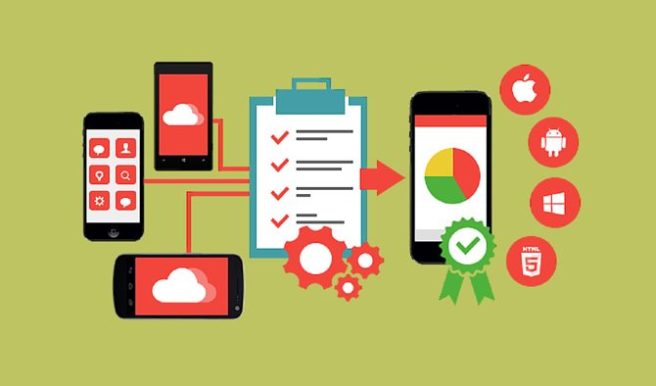
So, how to test your mobile apps? Here are the ten best practices for mobile app testing that you should be following.
1. Understand your customer
Everything starts with the customer. You need to know who your customers are. More importantly, you need to pay attention to what they want from a product. You need to know your customers’ age, gender, their income, their habits regarding mobile phone use and where they live and work. This basic knowledge can help you design an app that allows them to use it and helps you know how to monetize your product the best.
2. Test different device groups
The world is full of mobile phones. You have iOS, Android, and Windows as the key players, with each offering phones with a variety of screen sizes and processing speeds. Therefore, you need to test your app on different devices. Now, testing different devices can be done in two different ways. First, you could use software that allows you to create the conditions of a specific phone. You could also just try it out on different phones. You can buy discount phones and get your hands on different testing devices without paying the full price.
3. Test different data networks
In addition to testing different devices, you also need to pay attention to data networks. The most common fast data networks are LTE and 3G. But 4G is now increasingly popular alternative as well. You, of course, also need to consider the app’s performance on a Wi-Fi network. You don’t just want to test the condition of perfect coverage, but get an idea how the app performs on different networks and data settings.
4. Test the languages
If you want your mobile phone to succeed globally, you need to consider things such as language settings. It’s important to do the testing before launch because it isn’t just about having the words right or using the correct grammar. Changing the language can change the interface. For instance, a simple word such as exit or logout can look entirely different from Russian to English. It’s crucial you consider this before just launching the app with a translation.
5. Understand different hardware functionalities
Now, mobile devices come with a variety of hardware and sensor options and settings. These can impact the way to app behaves in some different ways. For example, many mobile phones have ambient light sensors that change display lighting as the surrounding lighting changes. Furthermore, depending on the different functions of your app, you might also need to consider the hardware regarding the performance of the specific function, such as the camera or the calendar.
6. Pay attention to the standby performance and battery life
There is nothing worse than apps that drain the battery life. If you don’t pay attention to this issue, you might end up with a great app that simply just takes too much battery and therefore, people stop using it. It’s important to test how much battery your app is consuming both when it’s in use and when it’s just operating in the background.
7.Use standard testing methods
Use an experienced software tester who is aware of software testing terms and techniques. You can find freelancers to help you with this online on sites like Upwork.
8. Check how easy it is to install and uninstall
Right before you submit your app to the app store, make sure to check how the whole installation process works. You don’t want it to be difficult or take too much of the person’s time. Most mobile platforms offer tools to test the update process as well so make sure to use it. Remember to also pay attention to uninstalling! You don’t want them to uninstall your app but the more efficient this is, the more likely it is to leave a semi-good memory about the app.
9. Test actual usability
Make sure you don’t just check and test these different elements as single blocks. You want to test the total usability of the product – how does the app perform in the real world? So, have people test it not only in the testing lab but also outside of the development headquarters.
10. Restrict the permissions
Finally, always remember to ensure you test the permission and restrict it as much as possible. You don’t want the app to collect or use any program in the phone that isn’t necessary to the functionality of the app. Users are careful about their privacy, and you want to make them feel like you’re collecting a lot of data and then sharing it with others.
So, if you are developing an app, these are the ten best practices to guarantee you release the app in style.

Leave a Reply