Although, our Smartphones hardly slip out of our hands or pockets, losing them is a frequent occurrence. Apple gives its users a huge asset within the device itself i.e. Find My iPhone service. Suppose you just left your iPhone at a restaurant or someone just nabbed it, need not worry! There is a way through which you can find it back pretty easily.
With Find My iPhone
To help Find My iPhone, find your lost or stolen device; you have to set it up in your Apple device first.
How to Set-up Find My iPhone in your iPhone:
- Go to Settings in your iPhone.
- Go to iCloud in Setting and look for Find My iPhone App.
- Toggle on Find My iPhone service.

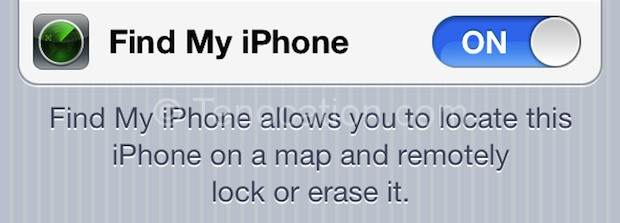
Voila! Now you have a guaranteed way to keep your iPhone secured even when it is lost! It will also help you to locate your lost or stolen iPhone.
How to use Find My iPhone App:
- Log in to your Apple account, associated with your lost device.
- Open Find My iPhone and click on the My Device menu at the top left corner of your device.
- Select your lost or stolen iPhone from listed devices.
- View your iPhone’s location on the map. If it is not switched on, the last known location will be visible instead of the current location.
- When your iPhone’s location is known, a pop-up window with a green dot will appear. Many options are available to find your iPhone when you click on the green dot.
- If the phone is nearby, in your home or office, you can play a sound on it, so that you can find it easily.
- Use Lock Mode if you are not sure about the whereabouts of your device. This will lock your device with a four-digit pas code.
- The lock mode will keep a constant track on your device.
- In addition, the Lock mode will leave a custom message on your lock screen with your number on it, so that the person nearby your iPhone can return it to you or at least make you aware about it.
- If none of this works, you can erase your device’s data. This will remove your device from Find My iPhone App. Though you will not be able to find your device or track it through Find My iPhone App but this will remove all the data from your device and at least you can be sure of its privacy.
- The app will work even if your lost iPhone is offline.
- If you are fortunate enough and get your phone back, you can simply turn off the Lost Mode option which can be found at Find My iPhone.
Without Find My iPhone
If you did not set up Find My iPhone in your iPhone, you should:
- Change the password of your Apple id. This will secure your personal data or any other information on the lost or stolen iPhone.
- Report the mishappening to the police. Provide them with the lost device’s serial number. You can find the serial number from the box of the lost iPhone or its receipt or by contacting the Support service of Apple.
- Also, report about the lost device to the wireless carrier. They will block your account and disable the calls and texts service.

Leave a Reply